
Did you know that there are pack of Stampin’ Up DSP with images you can cut out? They are great to use to embellish your layout and work with the coordinating stamp set too! Today’s scrapbook layout has hand cut images from the Beary Christmas Designer Series Paper. Aren’t they adorable?
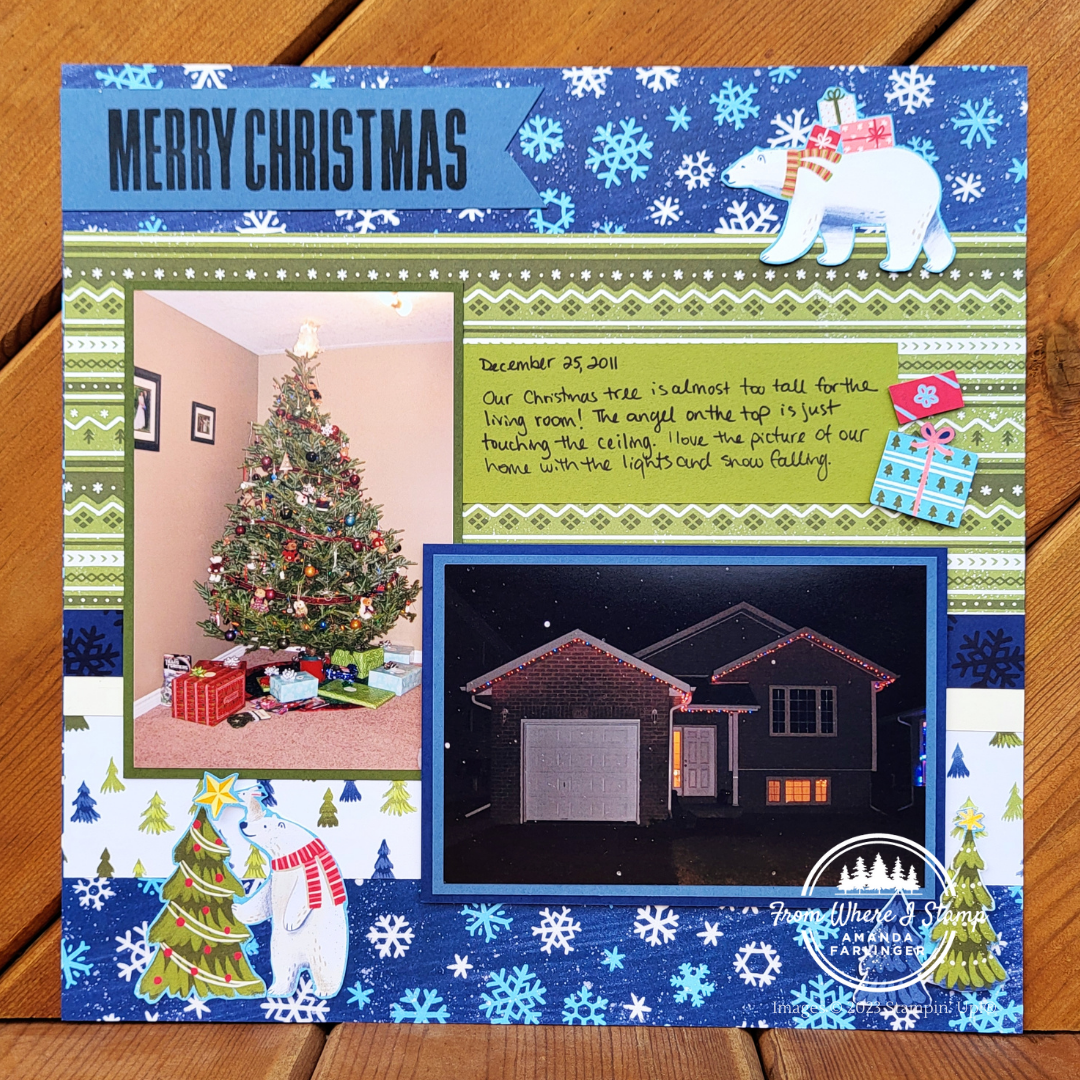
Cutting out the images means that you have coordinating embellishments that match the designs used on your scrapbook page. You don’t have to colour them in or have the correct colours on hand. Depending on the Designer Series Paper you may need to cut the images out using scissors or possibly cut some images using dies with the Stampin’ Cut & Emboss Machine. Would like to view the supply list for this scrapbook layout? Keep scrolling to find the button or click here to view the list now.
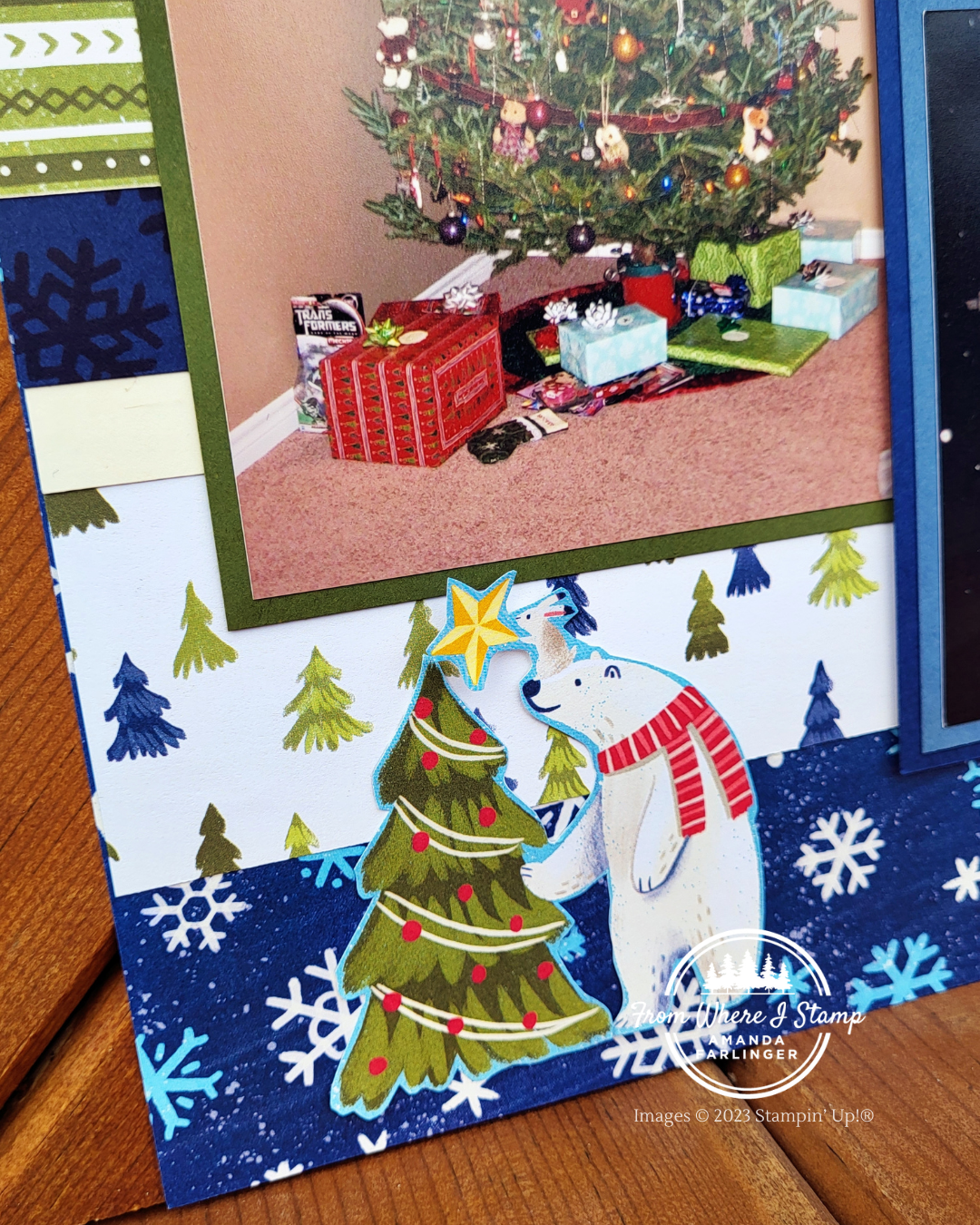
This layout does have a little stamping but it can be hard to see. The Night of Navy cardstock strip has snowflakes stamped using Night of Navy ink. This gives the layer a bit more dimension to stand out. You can leave the snowflakes off if you think the page is too busy with it. Before putting the pictures the layout was a little pattern overwhelm. What do you think? Leave me a comment to let me know if you think there are too many patterns or not enough?
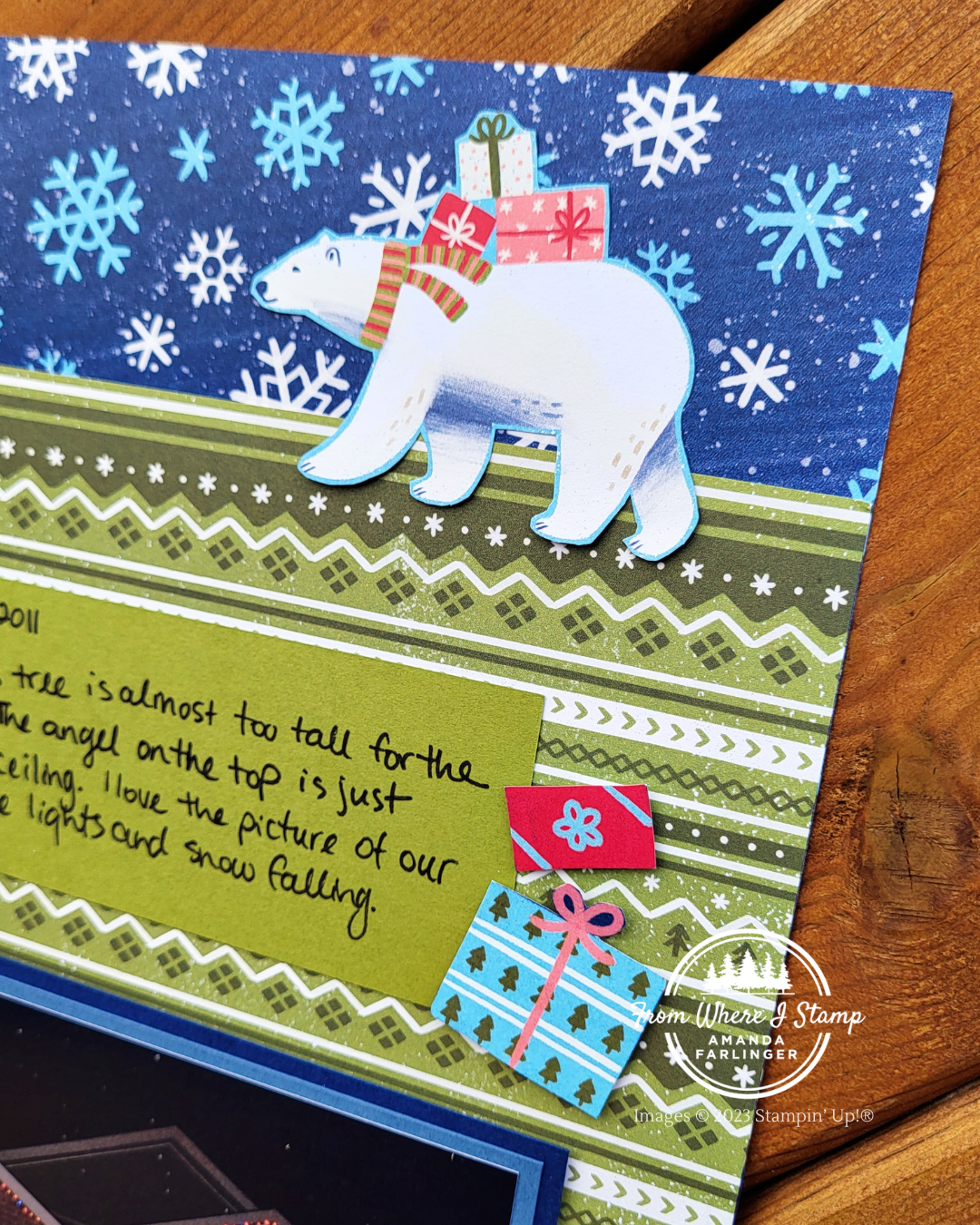
Not only did I cut out 2 of the bear images and one tree image from the Beary Christmas DSP, I decided to make a little pile of presents to the right of my journaling. These are popped up using Mini Stampin’ Dimensionals.
Use Patterned Designer Series Paper to Embellish Your Scrapbook Layout
CLICK HERE for the supply list to make this scrapbook layout.
The products used in this project were available at the time of filming of the video and/or writing this blog post. If an item does not appear in the list, it is no longer available.
